
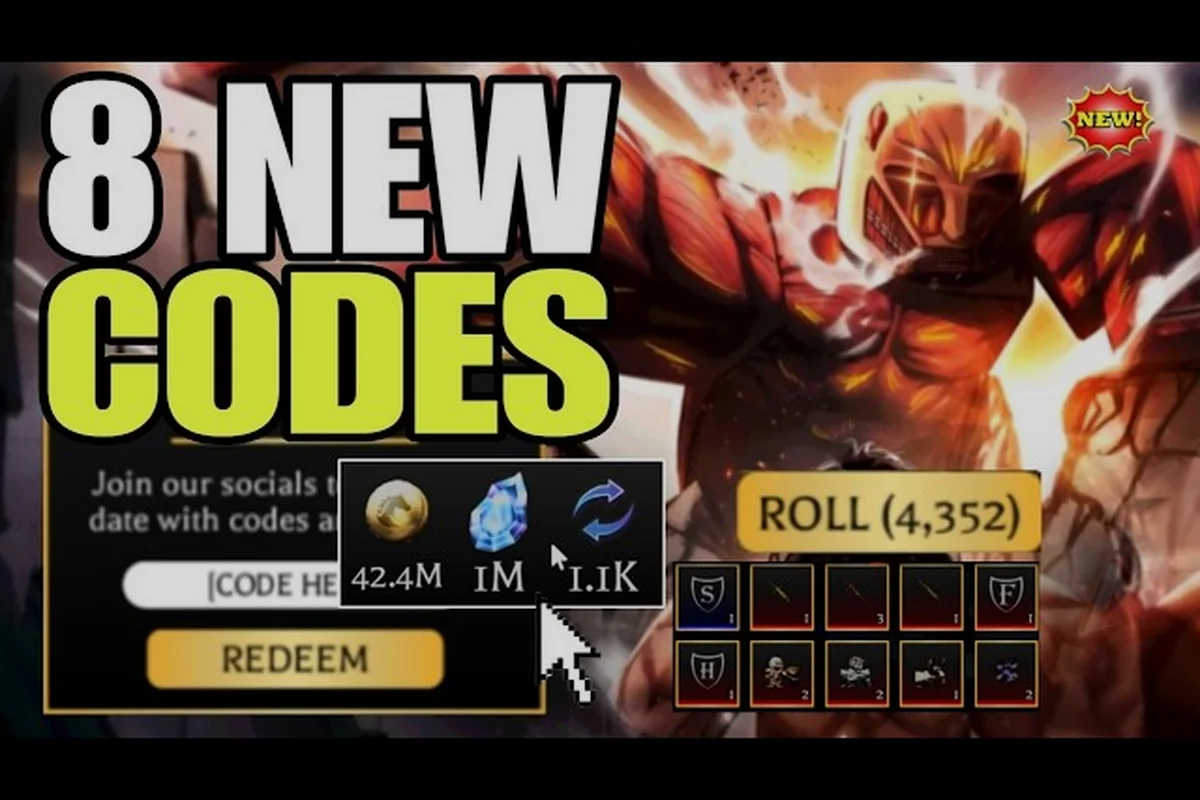
Attack on Titan Revolution codes can turn short YouTube clips into useful reward leads, but only verified strings work. The active code history matters because milestone rewards often expire, while newer videos may still show old strings. Check the dated list, redemption path, and reward details before playing a creator’s code.
Codes YouTube: What to Trust
The official Attack on Titan Revolution Roblox page explains that new codes are tied to community like milestones rather than a fixed release calendar. It also points players toward the community server for current strings, which makes that announcement more reliable than an outdated video description.
That distinction matters when comparing Attack on Titan Revolution codes YouTube creators discuss. A video may accurately show what existed when it was published, yet its code could already be expired. The table below separates the elements players should check before entering anything.
| Signal | What it indicates | Player action |
|---|---|---|
| Official milestone announcement | A like target was reached | Check for a published code string |
| Recent creator video | A code was tested around publication | Confirm the string and status |
| Old tutorial description | The code worked previously | Assume it may be expired |
| Community guide with dates | Rewards and status are documented | Use the dated entry |
| Comment-only code | Unverified user suggestion | Avoid entering it until corroborated |
Attack on Titan Revolution code history is easiest to understand as a timeline. Early milestone codes commonly delivered Spins, timed 2x Luck, 2x Gold, 2x XP, and Emperor Keys. Later releases retained the same broad reward structure while changing the amount or adding a level requirement.
Checking a Creator’s Video
Treat a code as potentially useful only when the video provides the exact spelling, visible reward screen, and a recent publication or update date. Old captions often remain searchable even after the code changes, so a video title alone is weak evidence.
Two verified videos offer useful context for the current update cycle: Rohaan YT’s Update 5 code video and Pixel blox’s Update 5 overview. Neither should replace the official announcement, but both can help players understand which reward categories and update-era codes are being discussed.
Milestone status is more valuable than view count. A small channel may display the correct code promptly, while a highly viewed upload can preserve an expired string for months. For an Attack on Titan Revolution code, check whether the creator labels the string as active in the current update cycle and shows the in-game redemption result; a YouTube upload with hundreds of thousands of views is not proof that its code still grants 2x XP, free gems, or other rewards.
Active Attack on Titan Revolution Codes and Reward Details
As of November 1, 2026, LIKES1M400K is the only verified active code in the available history. It grants 300 Spins, one-hour versions of the 2x Luck, 2x Gold, and 2x XP potions, and 10 Emperor Keys, according to the current reward tracking published by Pocket Tactics.
The official page has announced a future milestone at 1,450,000 likes, but no verified code string accompanies that target. It must therefore remain pending, rather than being presented as a usable code. Players should not enter the milestone itself as a redemption string; the table below records it separately from LIKES1M400K, whose 300 Spins, timed 2x potions, and 10 Emperor Keys are already confirmed. A YouTube upload mentioning a future reward is not proof that redemption is available.
| Code | Status on November 1, 2026 | Rewards or note |
|---|---|---|
| LIKES1M400K | Verified active | 300 Spins, 2x Luck, 2x Gold, 2x XP for one hour each, and 10 Emperor Keys |
| 1,450,000-like reward | Pending | No published code string |
| WZINS | Expired | Previously listed for 50 Spins |
| TERRA70K | Expired | Previously listed for 50 Spins |
| UPDATE5SOON | Expired | Previously listed for 250 Spins and required level 25 |
| LIKES1M350K | Expired | Previously listed for 300 Spins, timed potions, and 10 Emperor Keys |
This is the current AOTR codes list rather than an archive of strings that may still appear in videos. Community trackers continue to distinguish active entries from expired ones, because a large YouTube upload can remain available long after a redemption window closes.
Why Reward Screens Matter
A reward screenshot can confirm the important parts of a code without proving that it will still work. Look for the code-entry screen, the rewards received, the account balance before redemption, and the date attached to the capture. For example, a frame showing a 2x XP code entry followed by an “XP Boost Activated” message and the same timestamp on both images is stronger than a cropped reward icon, because it connects the exact input to the resulting bonus. Save the full YouTube clip or screenshot sequence rather than relying on a thumbnail; this preserves the order of redemption and makes it easier to compare the pre- and post-redemption resource totals.
If a creator shows only a menu screen, the footage may not establish which string was entered. If it shows a reward popup without the input field, the claim is even less reliable. The strongest visual evidence includes both the exact string and the successful reward confirmation.
The 2x potion duration is also worth verifying because timed boosts are easy to confuse with permanent multipliers. The active milestone code’s Luck, Gold, and XP boosts each last one hour, so players can spend the same window on related activities instead of assuming the boosts remain active indefinitely.
Code History: Retired Rewards
Milestone strings are not permanent fixtures. Rock Paper Shotgun’s tracking shows that UPDATE5SOON, WZINS, and TERRA70K were live during August 2026 but had been retired by late October. This rotation explains why code history needs dated statuses rather than a permanent “working” label.
The retired entries remain useful because they reveal the release pattern. A code called “soon” arrived during the Update 5 period, while shorter strings such as WZINS and TERRA70K offered smaller milestone rewards. This suggests that developers have reused the same reward categories while changing quantities and requirements.
| Period | Code | Reported reward | Later status |
|---|---|---|---|
| August 2026 | WZINS | 50 Spins | Expired by late October |
| August 2026 | TERRA70K | 50 Spins | Expired by late October |
| Update 5 period | UPDATE5SOON | 250 Spins and level 25 requirement | Expired |
| Milestone release | LIKES1M350K | 300 Spins, timed potions, and 10 Emperor Keys | Expired |
| Milestone release | LIKES1M400K | 300 Spins, timed potions, and 10 Emperor Keys | Verified active |
The August batch also included a level 25 requirement on part of the release. That restriction belonged to specific codes rather than the entire redemption menu. Rock Paper Shotgun explicitly notes that newer code lists did not repeat the requirement for every string, so players should not assume an account under level 25 is blocked from redeeming LIKES1M400K.
Reading Older YouTube Guides Safely
Attack on Titan Revolution code history lets you decode why a creator gives a particular amount. If a guide lists 250 Spins and level 25, it may be pointing to the Update 5 period; if it lists 300 Spins with potions and Emperor Keys, it may be showing a later milestone release. Neither pattern proves that the string remains active.
For older Attack on Titan Revolution codes YouTube videos, use three checks in order: first treat the reward bundle as a timestamp, since 250 Spins with level 25 suggests an Update 5-era guide, while 300 Spins plus potions and Emperor Keys points to a later milestone release; second, compare the creator’s code string against the visible video details rather than relying on the title alone. This separation matters because a 2x XP code may appear inside a combined package that also includes Luck, Gold, Spins, or keys, so copying the wrong segment can produce a redemption error even when the video’s wider strategy is sound.
-
Check the date: Compare the upload or update notice with the code’s release window.
-
Check the code shape: Compare capitalization, numbers, and any level requirement.
-
Check the redemption outcome: Confirm the claimed rewards and receive them in the account.
This process also helps when searching for an Attack on Titan Revolution 2x XP code. For example, a creator might place the XP code beside a combined package containing Luck, Gold, 250 Spins, or Emperor Keys, making the displayed string difficult to isolate. Copy the characters continuously, preserve capitalization, and test the code on an account without expecting the bundle’s extra rewards if the 2x XP entry has expired.
Redeeming a Code from the Profile Menu
Redemption takes place inside the game’s main menu. Open Profile, select the Codes button, enter the exact string in the redemption field, and choose Redeem. A successful submission should show a reward confirmation, while an invalid or expired string normally provides an error message.
Before entering a code, copy it directly rather than typing from memory. The strings use capital letters and numbers, so a lowercase letter or a missing digit can cause an otherwise valid entry to fail. For example, a YouTube reward string must keep its uppercase characters and exact digit order; copying also avoids adding quotation marks or spaces that the Codes redemption field may interpret as part of the code.
| Problem | Likely cause | Corrective action |
|---|---|---|
| Invalid code message | Typing error, expired string, or unpublished reward | Compare every character with the verified list |
| Level requirement appears | Code-specific account restriction | Reach the required level before retrying |
| No visible reward | Slow interface or delayed account update | Reload and inspect the profile before retrying |
| YouTube code fails | Video shows an older milestone | Check the latest dated status |
| Pending milestone fails | No string has been published | Wait for an official code release |
A reliable Attack on Titan Revolution code workflow takes less than a minute: confirm that the YouTube reward is currently published, copy the code without changing capitalization or spacing, and submit it through the game’s Codes interface. Codes tied to a specific milestone may expire or disappear once that event ends, so an older string can fail even when copied perfectly. If redemption reports an invalid code, compare it character by character with the latest dated entry and check for a newly issued replacement before retrying.
-
Open the profile: Enter the game and move to the Profile area from the main menu.
-
Choose Codes: Select the Codes button rather than attempting to redeem through chat or a companion panel.
-
Paste the exact string: Match uppercase letters, numbers, and spacing. Do not add quotation marks or explanatory text.
-
Select Redeem: Submit the entry and wait for the confirmation panel.
-
Inspect the rewards: Check Spins, potion timers, and Emperor Keys in the appropriate inventory areas.
Troubleshooting a Failed Redemption
Retrying the same invalid string will not repair it. First, compare the entered value with the verified table. Second, determine whether the video date belongs to an expired release window. Third, confirm that the account meets any requirement attached to that specific code.
Players who prioritize steady progression can pair redeemed resources with a build such as the Attack on Titan Revolution tank build. Rewards may speed early gearing, but the code does not change the need to match equipment and abilities to the role you intend to play.
Codes YouTube: Update and Claim Checklist
Attack on Titan Revolution codes YouTube videos are most valuable when treated as dated reports rather than permanent code databases. The official milestone pattern, current verification state, and visible reward evidence should all agree before a player relies on a string.
A compact review checklist prevents false claims by cross-checking several independent signals rather than trusting a single YouTube title. For example, if a video advertises a “2x XP code,” compare that wording with the official milestone history and the reward visible in the video’s description or pinned comment; a discrepancy may mean the creator used an expired or misread code. This matters because Attack on Titan Revolution code videos can remain searchable after a redemption window closes, and a 2x XP string may sound plausible without corresponding to a documented milestone.
-
Confirm the date: Look for the upload date and any later update notice.
-
Locate the full string: Read the exact code from the description, pinned comment, or visible redemption field.
-
Match the reward: Compare the claimed bundle with the milestone history.
-
Verify the status: Confirm that the string is not on the expired list.
-
Check the official page: Use the game's Roblox page for milestone announcements.
-
Redeem once: Successful codes may not provide duplicate rewards.
Rewards and Account Goals
Different rewards support different parts of the account. Spins are valuable for the gacha-style family system, Emperor Keys support another progression currency, and timed Gold or XP boosts can accelerate repeatable earning. Luck affects the odds of higher-quality pulls, although no code should be interpreted as guaranteeing a particular family. Players interested in the collection side can compare options in the Attack on Titan Revolution family tier list. A tier ranking can identify useful targets, but community-reported pull rates remain estimates rather than guaranteed code outcomes.
| Reward from code | Best immediate use | What it does not guarantee |
|---|---|---|
| Spins | Attempt more family pulls | A specific family or rarity |
| 2x Luck potion | Increase roll chances during its timer | A guaranteed maximum result |
| 2x Gold potion | Accelerate currency earning for one hour | Permanent wealth growth |
| 2x XP potion | Speed progress during its timer | Automatic prestige |
| Emperor Keys | Support the related key-based progression | Immediate mastery of a unit |
That distinction matters because an Attack on Titan Revolution 2x XP code can improve the pace of progression without resolving other account decisions. Players still need to understand prestige requirements, training priorities, and what to do with the rewards afterward.
Prestige and Code Value
Community sources report that prestige requires reaching level 100 with a full EXP bar, followed by another prestige every 25 levels, up to prestige 5. These are community-reported progression details, not official patch-note promises. Timed XP boosts may help reach a prestige threshold sooner, but they do not remove the level or EXP requirements.
The same caution applies to rarer unlocks. Reports about Divine perks, Vessel access, and the Beast Titan come from community showcases rather than official notes, so code videos should not be used as confirmation of those features. A visible reward panel is relevant when it clearly shows a code redemption, not when it merely displays unrelated progression.
Frequently Asked Questions
What is the current active Attack on Titan Revolution code?
As of November 1, 2026, LIKES1M400K is the only verified active code in the available history. It provides 300 Spins, one-hour 2x Luck, 2x Gold, and 2x XP potions, plus 10 Emperor Keys. Older YouTube videos may still list expired strings, so check the dated status before redeeming.
Can I redeem an Attack on Titan Revolution 2x XP code right now?
The active milestone package includes a 2x XP potion lasting one hour, but there is no separately verified string for a standalone 2x XP code. The 1,450,000-like reward announced by the developer does not yet have a published code string. Entering an invented or unconfirmed combination may fail, so wait for an official string.
Why does a code from YouTube no longer work?
Milestone codes can expire, and videos frequently remain online after their codes are retired. In the current history, WZINS, TERRA70K, UPDATE5SOON, and LIKES1M350K have expired. A code can also fail because of a typo or a code-specific level requirement, so compare the exact string with the verified table before assuming it was removed.
Where should players enter Attack on Titan Revolution codes?
Enter a code through the game’s main menu by opening Profile, selecting Codes, entering the exact string, and choosing Redeem. Codes are not redeemed through the official Roblox description or a YouTube page. If the entry succeeds, the game should display a reward confirmation containing the Spins, potions, or Emperor Keys associated with that code.
Are there official Attack on Titan Revolution codes on YouTube?
The verified information comes from the developer’s Roblox game page and community-server announcements, not a confirmed official YouTube channel. Creator videos are useful for showing reward screens and update context, but the official page is the authority for milestone announcements. Always verify a creator’s exact string against the current active-code table before entering it.
The practical takeaway is simple: use YouTube videos to trace Attack on Titan Revolution code history, but rely on dated verification for what can be redeemed today. Only LIKES1M400K is confirmed active, the 1,450,000-like reward still lacks a published string, and expired codes should remain in the archive rather than being mistaken for active rewards.