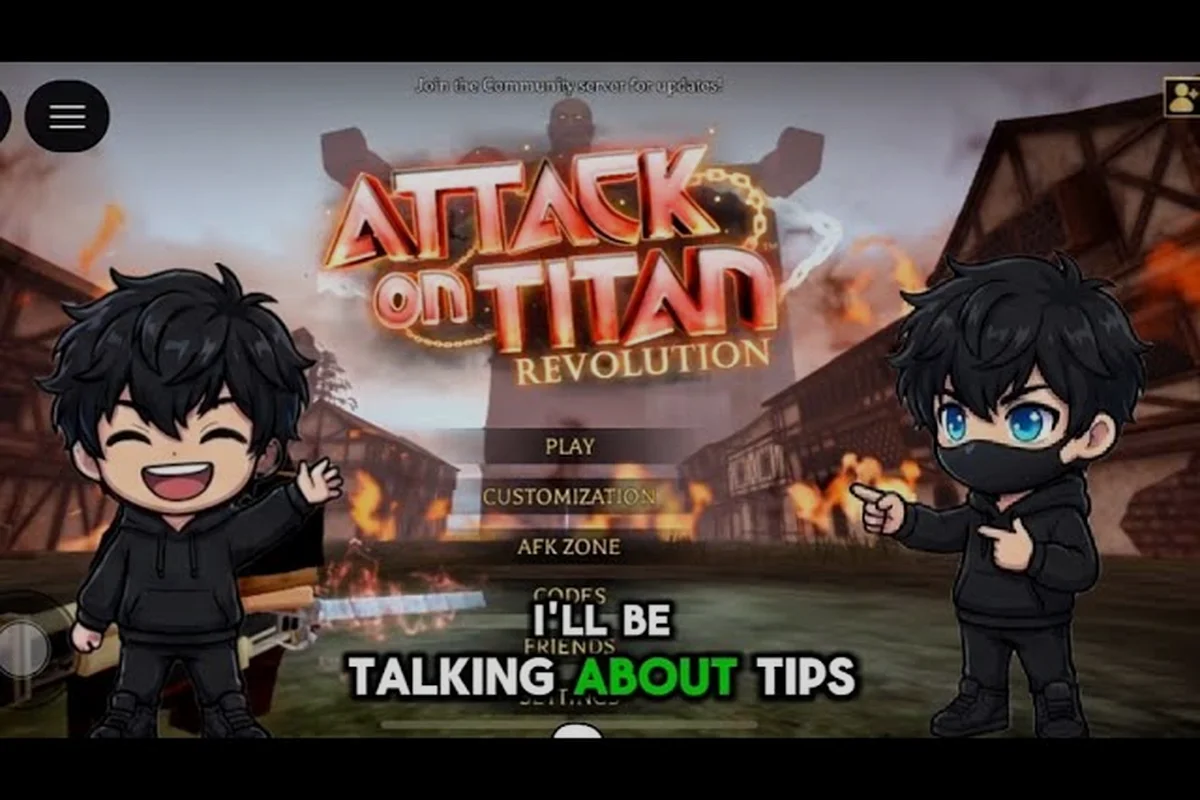
Attack on Titan Revolution controls determine how smoothly you grapple, cut, and reposition in your first titan battle. On PC, use the Settings menu to assign Anchor Point, Gas, and Blade actions to mouse buttons or accessible keyboard combinations, then reduce dead-zone drift if your aim moves while idle. For example, keeping gas on a mouse button lets you hold the ODM Gear boost while your other hand manages direction. On mobile, arrange the virtual joysticks and action buttons so thumb travel does not cover the HUD, while controller players can remap attack, special attack, and support abilities to reduce accidental inputs. These adjustments improve reaction time by keeping grapple direction, blade timing, and air-control maneuvers consistent during fast titan encounters.
Controls and First Moves
The fastest way to improve in Attack on Titan Revolution is to make movement feel repeatable before you chase stronger titans. Grapple, attack, recover your gas, and reposition in that order; the controls become useful once that rhythm feels natural.
These Attack on Titan Revolution controls are designed for the Roblox experience by AoTR [PI], so examples should match the game’s opening missions and ODM combat rather than mechanics from other Attack on Titan games. The official Roblox page is the safest place to confirm the current version before changing settings.
The basic combat loop
Most beginners lose fights because they treat every button as a separate action. Instead, combine the controls into a short cycle: launch toward a target, keep the camera pointed at the weak point, attack, disengage, and regain enough gas before the next approach.
| Action | Practical purpose | Beginner focus |
|---|---|---|
| Move | Reposition around a titan | Keep distance after an attack |
| Grapple | Close distance or cross open space | Aim at a stable anchor point |
| Attack | Damage the targeted area | Favor the nape when positioned correctly |
| Gas control | Preserve mobility | Avoid spending everything on one approach |
| Camera | Track the target | Learn to look before you grapple |
The official game page and community gameplay reports both emphasize that movement practice should come first because ODM combat depends more on timing than on raw stats. Complete the opening mission chain so the basic controls unlock before investing heavily in unrelated systems.
A useful first-session sequence
Begin with a calm target and practice the complete loop without rushing to damage. Grapple toward the titan, cancel or redirect if the angle is poor, attack from a safe position, and retreat before the next strike. This develops grapple timing rather than creating a button-mashing habit. The community beginner walkthrough recommends watching gas and blade durability because both can end a run early. Gas controls your escape options, while blade durability determines how much damage you can land before replacing a blade.
PC Guide for Keyboard Players
A good Attack on Titan Revolution pc guide starts with a layout that leaves movement keys visible and comfortable. Avoid rebinding movement to unusual locations, because rapid direction changes are more important during combat than having one perfect attack key under your thumb.
Recommended keyboard arrangement
Use the default layout first if it already feels natural. Its standard arrangement keeps directional movement together, which makes it easier to strafe while the camera and grapple commands remain active. If you change keys, select positions that let your left hand move without large stretches. A keyboard setup works best when your movement hand never has to leave its home position during the grapple-arc-nape cut loop. If the attack button is far away, a simple movement change may improve consistency more than changing sensitivity.
| Input type | Default-style placement | Why it helps |
|---|---|---|
| Movement | WASD or arrow-key cluster | Keeps directional inputs grouped |
| Grapple | Easy reach near movement | Supports quick corrections |
| Attack | Easy reach near movement | Reduces delay before a strike |
| Gas ability | Separate nearby button | Prevents accidental spending |
| Camera or lock | Mouse or nearby modifier | Keeps target tracking responsive |
Mouse and camera habits
Point the camera before committing to a grapple, because correcting a bad approach after launch is harder than avoiding it. When a titan turns, use the camera to verify your position rather than assuming it changed, and watch the model’s shoulders and head to determine which side offers a clean angle.
-
Lead the target slightly when moving across open ground.
-
Re-center after every disengage to avoid walking backward unintentionally.
-
Use short camera adjustments near the nape instead of large sweeping turns.
-
Lower sensitivity gradually if small corrections feel twitchy.
Do not copy sensitivity values from another player without testing them. Mouse DPI, field of view, monitor size, and camera behavior can make identical numbers feel different. A practical Attack on Titan Revolution pc guide should help you build a stable test routine rather than promise one universal setting.
Settings Checklist
Prioritize useful settings first
Good Attack on Titan Revolution settings should improve clarity and responsiveness without changing the game’s rules. Start with conservative visual adjustments, test the same titan encounter, and keep one variable constant so you can tell whether the change helped. The most valuable settings are those that make movement, targets, and hazards easier to read. Reduce visual clutter before making broad changes, because excessive visual effects can obscure a titan’s attack direction or nearby grapple points. For example, lower particle effects during close-range ODM gear combat if blood, dust, or impact flashes hide a titan’s wind-up, then raise display scale only when weak points remain difficult to identify. This staged approach helps players react to attack tells and preserve a clear line toward grapple anchors without sacrificing the timing needed to execute the ODM gear movement cycle.
| Setting category | Suggested starting approach | Reason to test it |
|---|---|---|
| Camera sensitivity | Moderate, then reduce in small steps | Improves close-range correction |
| Movement behavior | Keep the default if already comfortable | Preserves familiar muscle memory |
| Visual effects | Lower if effects obscure titans | Makes danger easier to read |
| Frame rate | Use the highest stable option available | Can make timing more consistent |
| Display scale | Increase only if details remain unclear | Helps identify weak points |
| Audio | Keep important effects audible | Supports threat awareness |
Platform menus and supported options may vary, so treat this as a testing framework rather than a list of guaranteed options. The verified community guide similarly emphasizes learning the core movement cycle, watching gas, and replacing blades before adding complex adjustments.
A controlled settings test
Choose an early titan with a repeatable pattern, then record how many clean attacks and successful escapes you complete. Make one change at a time, repeat the encounter, and compare the result. This method reveals improvements that random testing can hide.
After stabilizing the camera, practice against gas limits and blade durability. Those two constraints teach better timing than simply increasing sensitivity, because they force you to make every grapple and cut count. If you want to compare progression rewards while testing, the current working code list identifies the only verified active code, LIKES1M400K.
Co-op Guide for Better Team Play
The Attack on Titan Revolution co op guide should focus on role clarity because two players attacking the same target can reduce efficiency. Agree on who controls the nape, who creates space, and when both players should disengage before gas or durability becomes critical.
Communication roles
Use short callouts based on actions rather than vague descriptions. “I attack” identifies intent, “reset” signals disengagement, and “low gas” warns the partner that an escape route may be unavailable. These simple cues work even when voice communication is unavailable.
| Team situation | Player A | Player B | Better result |
|---|---|---|---|
| Opening approach | Create distance | Find a grapple angle | One clean entry |
| Nape attack | Land the cut | Watch the counterattack | Faster escape |
| Low gas | Retreat and recover | Hold the target’s attention | Safer reset |
| Low durability | Preserve the final blade | Finish the current target | Resource control |
| Split targets | Handle one side | Handle the opposite side | Less contesting |
Community experience suggests that coordination should emphasize movement and target priority rather than raw damage. In co-op, one player can secure the nape angle while the other waits for a safe opening, especially when one teammate has limited gas or a worn blade.
Test co-op without pressure
Practice in an early mission before attempting difficult encounters. Both players should call out attacks, avoid competing for the same target, and reset together when resources become low. The community progression walkthrough also highlights movement practice and early skill choices, both of which affect how effectively a team can coordinate its attacks.
A useful Attack on Titan Revolution co op guide keeps communication actionable: call the target, state your attack, and warn teammates before committing. If one player prefers a more durable support setup, the tank build details can help define that role before the team enters a mission.
Mobile Controls and Touch Practice
Mobile combat needs deliberate practice because touch input places more emphasis on timing than on physical key travel. Keep one thumb on movement, use the other for grapple and attack actions, and shorten your camera corrections when a titan closes the distance.
Building a mobile grip
Position the movement control along the lower or outer edge of the screen, where your thumb can travel without covering the center and obscuring enemy markers or ODM Gear targets. Keep the attack button visible during movement; repeatedly lifting and replacing your thumb can delay an attack, interrupt a grapple, or cause you to drift past an enemy before the strike lands.
| Touch task | Common problem | Practical correction |
|---|---|---|
| Moving while aiming | Thumb blocks the view | Keep movement lower or farther out |
| Grapple timing | Input arrives after the turn | Watch the target before tapping |
| Attacking | Button pressure causes drift | Use a short, deliberate tap |
| Camera tracking | Rapid swipes overshoot | Make smaller corrections |
| Emergency retreat | Gas command missed | Place it near the attack thumb |
Practice the same short loop used on PC: move into position, grapple, attack, and retreat. Mobile settings should prioritize stable performance and readable visuals because input mistakes are harder to diagnose when the frame rate is unstable or effects obscure the target.
Mobile co-op communication
If voice chat is unavailable, use visible, concise callouts. Markers help when one player can see an opening that the other cannot, while short text messages such as “nape,” “reset,” and “gas” reduce confusion. Avoid flooding chat with every small movement; reserve warnings for attacks, target changes, and resource limits.
The same rules apply on every platform: one player takes the nape while the other creates an opening, and both reset before resources become critical. Consistent communication makes the Attack on Titan Revolution controls easier to remember because each button or touch action has a defined purpose.
Practice Routine for Cleaner Titan Fights
A structured practice routine turns unfamiliar Attack on Titan Revolution controls into reliable actions. Spend the first part of a session learning movement without attacking, the second part testing resource limits, and the final part applying the complete sequence under pressure.
Seven-step combat practice
| Step | Time focus | What to verify |
|---|---|---|
| 1. Camera tracking | 1–2 minutes | Target stays centered |
| 2. Basic movement | 2 minutes | Direction changes feel immediate |
| 3. Grapple correction | 2 minutes | Angle can be adjusted safely |
| 4. Attack timing | 2 minutes | Cut lands after proper approach |
| 5. Gas recovery | 1–2 minutes | Escape reserve remains |
| 6. Blade awareness | 1–2 minutes | Damage is not wasted |
| 7. Full loop | 3 minutes | Approach, cut, and reset connect |
The first two repetitions of the full combat loop should be deliberately slow, using the seven-step sequence to check camera tracking, basic movement, grapple correction, attack timing, gas recovery, blade awareness, and the connected approach-cut-reset cycle. Complete one clean run before increasing speed; for example, if the blade lands before the approach is stable or gas drops below the required escape reserve, repeat that loop at the same measured pace. Speed built on a broken rhythm becomes muscle memory that is difficult to correct later.
Diagnosing recurring mistakes
If you reach the titan without a safe angle, the camera should move before the grapple. If your attacks miss constantly, reduce speed and verify the nape position instead of changing several settings. If retreats fail, treat gas management as the main issue rather than blaming the attack button.
-
Missed nape cuts: Improve approach angles.
-
Frequent low gas: Leave more reserve for escaping.
-
Late attack input: Watch the animation cue before tapping.
-
Camera overshoot: Reduce sensitivity or correct earlier.
-
Uneven co-op damage: Assign one player to the nape.
This routine makes the Attack on Titan Revolution controls easier to evaluate because every mistake has a specific training target. For example, if grapples repeatedly end without a clean nape approach, test camera sensitivity and approach timing separately, then compare the result against your normal Attack on Titan Revolution settings. Likewise, if co-op damage becomes uneven during a titan engagement, check whether both players are targeting the nape or whether one is being forced into a closer, less stable position. This isolates camera, gas, and attack-timing faults before you make broad control changes, keeping progression decisions tied to actual combat needs rather than unsupported performance assumptions.
Equipment, Upgrades, and Control Decisions
Controls determine how consistently you execute a plan, but equipment choices affect how many opportunities you receive. In Attack on Titan: Revolution, maneuver gear, blade upgrades, and ODM Gas determine whether you can maintain momentum, land attacks, and escape before a Titan closes the gap. Keep upgrades compatible with your movement style: a stronger blade improves damage, while higher maneuverability or ODM Gas supports repositioning in crowded encounters. A higher stat will not compensate for poor positioning or insufficient gas, so test loadouts in Training Mode and match each upgrade to the speed, reach, and durability needed for your co-op route.
Match upgrades to your control style
Precise players should prioritize aiming consistency, stable camera control, and clean nape hits, while aggressive players may favor ODM gas efficiency and quick repositioning to preserve maneuver time. For example, maintaining air control while circling a target can create a safer nape angle, but spending too much gas on repeated evasive dashes can leave no room to secure the finishing strike. Check gear and upgrade values inside the game before committing points, since available rewards and balance can change with updates.
| Player style | Control priority | Upgrade decision to consider |
|---|---|---|
| Patient and precise | Stable camera and clean aim | Improve damage consistency |
| Fast and mobile | Gas efficiency and quick retreat | Extend maneuver time |
| Co-op specialist | Clear attack timing | Support the assigned nape role |
| New player | Predictable recovery | Prioritize basic movement first |
Community testing places movement and damage ahead of spreading the first skill points across every branch. Use that principle when deciding whether an upgrade solves a real problem, and avoid delaying basic combat practice in favor of a long build session.
If your next goal involves rerolling equipment, the memory reroll guide explains the artifact slot context. Keep control practice separate from that process: stable inputs make it easier to tell whether a failed run came from positioning or from the build.
Practical Setup for Your First Titan Battle
A reliable setup combines readable visuals, familiar inputs, and a combat routine you can repeat. For PC players, begin with the default keyboard layout, adjust camera sensitivity gradually, and confirm that movement remains comfortable. Mobile players should prioritize a clear thumb placement and stable frame rate.
Before entering combat
Complete the opening mission chain so the basic ODM actions unlock, then test them on a simple target. Check gas and blade condition before committing to a difficult titan, and use the game's Roblox page to confirm the current game version.
| Platform | First adjustment | Second adjustment | Final check |
|---|---|---|---|
| PC | Camera sensitivity | Key placement | Grapple correction |
| Controller | Stick sensitivity | Button layout | Target tracking |
| Mobile | Visual clarity | Thumb placement | Frame stability |
The central takeaway is simple: learn the grapple-arc-nape cut loop, protect your gas, watch blade durability, and communicate clearly in co-op. Those fundamentals make the Attack on Titan Revolution controls easier to master and help every player convert practice into cleaner titan fights.
Frequently Asked Questions
What are the most important Attack on Titan Revolution controls for beginners?
The most important controls are movement, grapple, attack, and gas management. Practice by approaching a titan slowly, grappling toward a stable angle, attacking the nape when possible, and retreating before gas becomes low. This sequence teaches positioning and resource control instead of encouraging rapid button mashing.
Should I change my Attack on Titan Revolution settings before playing?
Only change one setting at a time. Begin with camera sensitivity or visual clarity, then repeat the same titan encounter to judge the result. Keep the default layout if it already feels comfortable, because familiar movement positions often improve consistency faster than a large, unfamiliar rebinding.
How can I make co-op easier in Attack on Titan Revolution?
Assign clear roles: one player takes the nape while the other creates space or watches for a counterattack. Use short calls such as “attack,” “reset,” and “low gas.” Agree to disengage together when resources become limited, since coordinated retreats are safer than two players rushing independently.
Is a controller better than a keyboard for titan combat?
A controller can feel more natural because movement and camera inputs may use separate sticks, while a keyboard can offer faster access to several commands. Neither is automatically superior. Choose the setup you can control consistently, keep movement keys or sticks fixed, and prioritize a stable camera over an extreme sensitivity setting.
What should I focus on after learning the controls?
Focus on resource awareness and clean positioning. Watch gas before committing to an attack, replace damaged blades when needed, and improve your approach angle if your hits repeatedly miss. Early upgrades should support movement and damage rather than spreading skill points across every branch before the combat basics are comfortable.